Your event, from every angle
How QR Code Photo Sharing Works
A shared gallery that fits right into your celebration. No app downloads or guest accounts to get in the way.
Your first event, step by step
From “let’s do this”
to everyone’s photos.
Follow these steps in the GLIP web app. The host manages the event; guests can share from their phone’s browser.
- 01
For the host
Create a gallery for your event.
Choose Start free, create your host account, and add your Event Name and event details. The free plan includes 100 photo and video uploads. You can upgrade the same event if you need more.
Compare the plans - 02
Make it work for your guests
Choose access and approval settings.
In event settings, choose Privacy and Upload Permissions. Choose Anyone for uploads without a guest account. Turn on Photo Approval if you want to review uploads before they appear on the wall and share link.
Share your gallery link with the people you want to have access. A private event’s share link acts as an invitation; someone who receives it can pass it on.
- 03
At the venue, or in a message
Share the link. Put out your signs.
Open Share to copy your event link or choose Design printable sign. Personalize the heading and instructions, then print or download your sign from the web app.
You can collect uploads while the event is a draft. They go into the moderation queue; publish the event when you want approved photos to appear.
Get sign ideas and the setup checklist - 04
For your guests
Scan. Choose a moment. Upload.
Guests scan the QR code with their phone camera, or open your sharing link. They choose photos or videos from their phone and upload in the browser. Uploads need an internet connection, and your event’s permissions and approval settings still apply.
Before the event, try the link on a phone while signed out of your host account. Confirm a guest can upload and see exactly the gallery experience you intend.
- 05
During the party, and after
Bring the room into the story.
Manage the collection in Album and review pending uploads in Moderation. In Wall, choose Open Live Wall to show the event on a connected screen or projector. Keep an internet connection available for new photos to arrive.
Afterward, enjoy the shared gallery and download photos and videos you want to keep. Invite guests to add their remaining favorites using the same sharing link.
Explore the live photo wall
Give it a real moment
Your photo.
Up on the big screen.
Upload a photo or video, see it in your gallery, then watch it appear on GLIP’s real live wall. This little event is just for you and the people you invite.
- The same gallery and wall your guests will use
- No account or card to try it
- Your own temporary sharing link

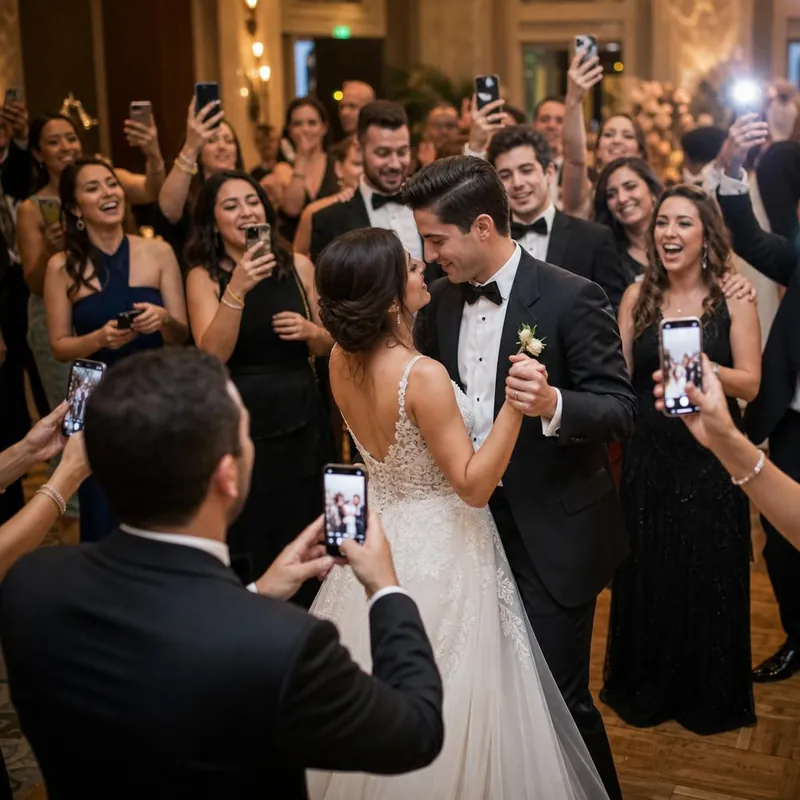 One small upload.
A room full of memories.
- 01Upload
- 02Open the gallery
- 03Watch the wall
Try your own photos and videos, or use a sample.
10 uploads · 25 MB per file · 1 hour
Access ends after 1 hour. Temporary uploads are automatically queued for deletion. People with your demo link can access it.
Good questions. Simple answers.
Before the
celebration starts.
Still wondering about something?
We’re here to help
Do my guests need an app or an account?
No. Guests scan your event QR code or open its link, then upload through their phone’s browser. Hosts create an account to manage the event.
Can guests share videos as well as photos?
Yes. GLIP collects photos and videos in the same event gallery, and supports displaying them on the live photo wall.
What’s included in the free plan?
Free Event includes up to 100 photo and video uploads, unlimited guests, and basic moderation. Upgrade that event to Unlimited for $49 once when you want more space.
Who can see my event photos?
Hosts control event visibility and permissions. People with an unlisted event link can pass it on, so share your link thoughtfully. See our privacy policy for details.
How does the live photo wall work?
Open your event’s wall on a device connected to a TV or projector. The wall refreshes as new approved content arrives. An internet connection is needed. Explore the live photo wall.
Can I download the photos afterwards?
Yes. Use the available gallery download and export options to keep your own copy. We recommend downloading important media after your event.
What if GLIP isn’t right for my event?
Try Free Event first. Unlimited purchases come with a full refund on request within 60 days of purchase. Email support@glip.tv; see the full refund policy.
Be there. We’ll bring the photos together.
Every guest has a camera.
Give the memories a home.
100 uploads free · Unlimited $49 once · No guest app needed