Live photo wall for events

The room makes the memories. The wall brings them together.

Turn guest uploads into part of the celebration. Open GLIP's live photo wall on a connected screen and let people see the gallery grow.

100 free uploads · Unlimited $49 once

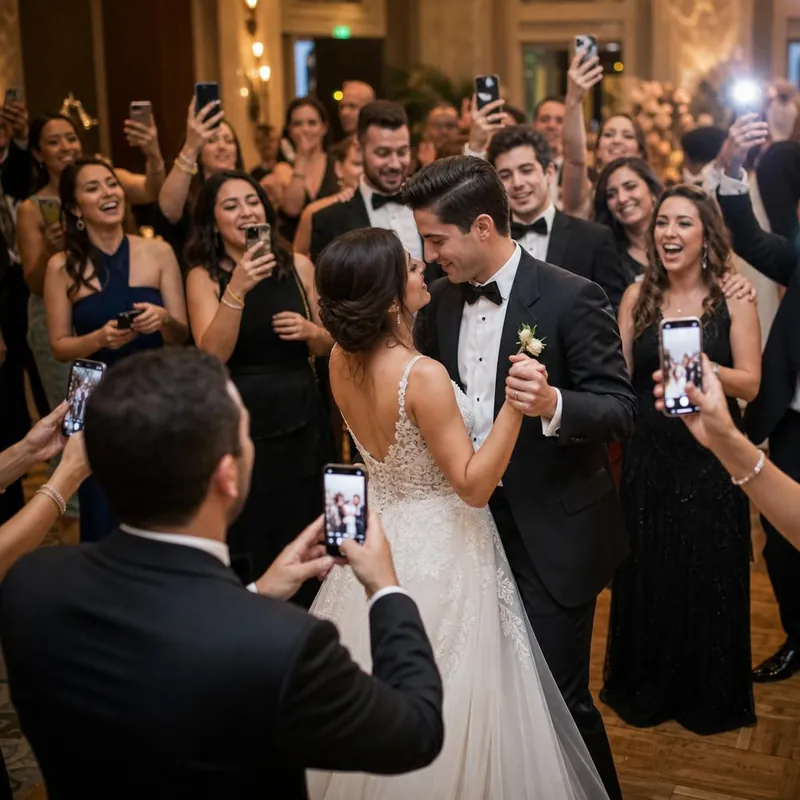
Illustrative event photo-sharing moment
One QR code. Every guest.
No guest app or account
Photos, videos & a live wall
60-day refund on Unlimited

From a guest's phone to the shared screen.

Guests scan your event QR code or open its link to upload photos and videos. Your GLIP photo wall displays event media and updates as contributions arrive, according to your event settings. It is a way to bring the shared gallery into the room, whether you are planning a wedding reception or a party.

Plan the display before the guests arrive.

Open the wall on a device with a browser and connect it to the venue's TV or projector using a supported display connection. Check the actual screen rather than relying on a laptop preview.

  • Test the venue internet connection.
  • Confirm the device stays awake during the event.
  • Check picture size and readability from across the room.
  • Make a test upload from another phone.

Choose what appears in front of the room.

Review your event's moderation and visibility settings before guests start contributing. If moderation is part of your plan, choose someone to monitor the gallery during the celebration. Treat the gallery link and screen as shared spaces: a link can be forwarded, and anything shown on the wall can be seen by people nearby.

Keep the invitation simple.

Put the QR code where people can scan comfortably and explain that they can add photos through their browser without a guest app or account. If the screen is far away, put a second code on a nearby sign or table.

Start with up to 100 uploads on Free Event. Unlimited is $49 once for one event, with a 60-day refund window from purchase. The wall accompanies your gallery; remember to download a separate copy of important media after the event.


A little preview of the good stuff

From their phone.
To your favorite album.

The dance-floor videos. The happy tears. That photo you didn’t know someone took. Give them all a place to land.

  • Photos and videos together
  • A gallery everyone can enjoy
  • A wall that brings the room to life
See how GLIP works
glip · sample event

The best kind of together.

Sample gallery · tap a photo to take a closer look

GLIP

Illustrative demo with sample photos. This demo doesn’t upload your files.

GLIP customer stories

From the people
who were there.

Oklahoma National Guard Ball

We used Glip for the Oklahoma National Guard Ball and it worked great to show our sponsors and have over 1,000 people upload and share their favorite photos and videos

Johnny DanrichExecutive Director

Read the customer stories

Simple plans. More memories.

Start free.
Make room for everything.

One event. All your people. Choose the space your celebration needs.

GET A FEEL FOR GLIP

Free Event

$0to start

A real gallery with room for your first 100 uploads.

Create your free gallery
  • 100 photo and video uploads
  • Unlimited guests
  • Your own event QR code & link
  • Shared gallery and live photo wall
  • Basic moderation

No card needed. Upgrade the same event to unlock uploads beyond the first 100.

Make the memories. Feel good about the decision.Request a full refund within 60 days of purchase. Read the refund policy or talk to us at support@glip.tv.

Good questions. Simple answers.

Before the
celebration starts.

Still wondering about something?
We’re here to help

Do my guests need an app or an account?

No. Guests scan your event QR code or open its link, then upload through their phone’s browser. Hosts create an account to manage the event.

Can guests share videos as well as photos?

Yes. GLIP collects photos and videos in the same event gallery, and supports displaying them on the live photo wall.

What’s included in the free plan?

Free Event includes up to 100 photo and video uploads, unlimited guests, and basic moderation. Upgrade that event to Unlimited for $49 once when you want more space.

Who can see my event photos?

Hosts control event visibility and permissions. People with an unlisted event link can pass it on, so share your link thoughtfully. See our privacy policy for details.

How does the live photo wall work?

Open your event’s wall on a device connected to a TV or projector. The wall refreshes as new approved content arrives. An internet connection is needed. Explore the live photo wall.

Can I download the photos afterwards?

Yes. Use the available gallery download and export options to keep your own copy. We recommend downloading important media after your event.

What if GLIP isn’t right for my event?

Try Free Event first. Unlimited purchases come with a full refund on request within 60 days of purchase. Email support@glip.tv; see the full refund policy.

Be there. We’ll bring the photos together.

Every guest has a camera.
Give the memories a home.

100 uploads free · Unlimited $49 once · No guest app needed

Your memories, together.100 free uploads · Unlimited $49
Start free